

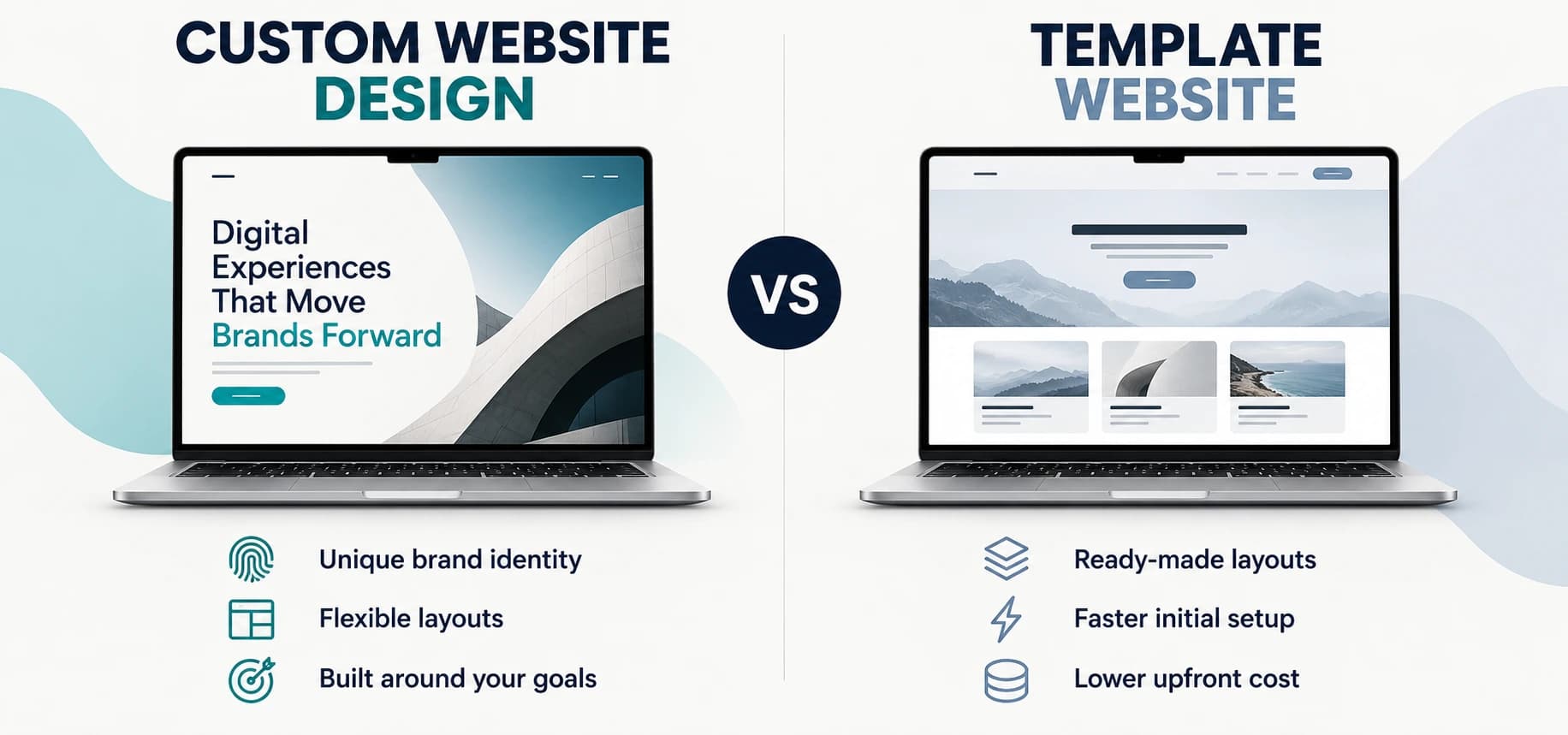
A custom website is a site designed and coded specifically for one business, while a template is a pre-made page design you add your own words and images to. Templates suit businesses that need a simple, lower-cost launch, while custom design suits those with specific branding or feature needs. This guide compares cost, speed, search engine optimization, security, and growth so you can choose the right approach.
What Is the Difference Between a Custom Website and a Template?
A template website uses a pre-made design that other businesses can use too, while a custom website is designed and coded around one business. With a template, you adapt your content to an existing layout and change the settings available to you. Custom design begins with your goals and your customers, giving the developer more freedom to shape the pages and features around how your business works.
What Is a Template Website?
A template website gives you ready-made layouts for pages such as your homepage, services, and contact page. You add your own content, change the images, and adjust the design settings to match your brand. This can work well for a business that needs a clear service offer and a simple way for customers to get in touch, although the amount you can change depends on the platform. Common examples include:
Wix starter sites: Pre-made designs edited through Wix's website tools.
Squarespace templates: Starting layouts customized with your content and branding.
WordPress themes: Ready-made design packages installed on WordPress.
What Is a Custom Website Design?
Custom website design brings your layout, page structure, and features together around the way your business works. Developers can still use trusted software and reusable code, so a custom build does not require every tool to be created again. The value comes from planning how the parts work together for your customers, rather than fitting every need into a ready-made layout. The work often includes:
Business planning: Defining your audience, page needs, and main customer actions.
Original layouts: Designing pages around your content and brand.
Development and testing: Building features and checking forms, mobile layouts, and performance.
A custom site can also use a content management system (CMS), the software you log into to edit your website, such as WordPress.
Template vs Theme vs Page Builder: Are They the Same Thing?
Templates, themes, and page builders serve different roles, although one website may use all three. A template provides a ready-made layout for your content, a theme controls the wider design, and a page builder gives you tools to arrange the sections. Knowing the difference helps you understand what a designer is offering and how much control you will have after launch.
| Term | What it is | Example |
|---|---|---|
| Template | A ready-made page design you fill with your content | A Squarespace or Wix starter site |
| Theme | A design package controlling a CMS website's overall look | A WordPress theme |
| Page builder | A drag-and-drop tool for arranging page sections without code | Elementor, Divi, Wix Editor |
What Is a Website Theme?
A theme is a design package that controls the look of pages on a CMS like WordPress, including the fonts, colors, navigation, and default layouts. Within that package, separate templates may shape the homepage, blog posts, or product pages. You can choose a ready-made theme or have one developed for your business, which means using a theme does not always mean using a standard design.
What Is a Page Builder?
A page builder is a drag-and-drop tool that lets you arrange text, images, forms, and other page sections without writing code. You can use one to adjust an existing template or create a layout from a blank page. The tool itself does not determine whether the website is custom; that depends on whether its design and features were created around your business.
On this page, template means any pre-made design, whether it is sold as a template or a theme.
AI Website Builders Add Another Option in 2026
Artificial intelligence (AI) website builders create draft pages from written instructions. In January 2026, Wix launched Harmony, which combines AI website creation with drag-and-drop editing. This gives businesses another starting point alongside traditional templates and custom builds.
An AI-generated layout still needs careful review. Check the content, mobile design, forms, and page speed before publishing. If your website needs special booking rules, payment flows, or connections between business tools, our custom website development services can build those features around your actual process. Choose based on what the finished website must do, as well as how quickly the first draft appears.
Custom Website vs Template: Side-by-Side Comparison
Templates usually offer a faster, cheaper starting point, while custom websites offer more control over design and features.
| Factor | Template | Custom |
|---|---|---|
| Upfront cost | Usually lower | Usually higher |
| Time to launch | Often days to weeks | Often weeks to months |
| Design uniqueness | Depends on customization | Designed around your brand |
| Page speed | Depends on setup | Depends on implementation |
| SEO control | Varies by platform | Greater control when included |
| Security | Depends on platform and upkeep | Depends on development and upkeep |
| Scalability | Depends on platform limits | Planned around expected growth |
| Ownership | Platform and license dependent | Contract and license dependent |
| Accessibility | Check Web Content Accessibility Guidelines (WCAG) support | Specify WCAG testing |
| Best for | Simple sites and quick launches | Specific branding and complex needs |
Both options should include responsive design, a layout that adjusts automatically to phones, tablets, and desktops.
How Custom and Template Websites Compare on Performance and Control
Custom and template websites can both perform well, but they give you different levels of control over the finished site. The platform, code, and ongoing care affect how quickly pages load, how easily customers use them, and how much work future changes require. Before choosing either approach, look at how it handles the needs below and ask your provider what is included in the build.
1. Code Quality and Code Bloat
Code bloat is extra code a website loads even when it does not need it. Some multipurpose templates include features for many types of businesses, so your pages may load tools that your visitors never use. This can make pages heavier and leave developers with more work when they need to fix a problem or change the design.
A custom build gives developers more freedom to include only the code your pages need, although the result still depends on how carefully they work. A lightweight template can be a good starting point too, especially when unused features can be switched off or removed.
2. Page Speed and Core Web Vitals
Core Web Vitals are three Google measures that show how quickly a page loads, responds, and stays visually stable. These details affect everyday actions, such as opening a service page or tapping a booking button. When a page is slow or its content keeps moving, visitors may struggle to find information or complete a form.
Both approaches can deliver a fast experience when the website uses suitable hosting, carefully sized images, and well-managed code. Custom development gives you more room to make detailed changes, while a good template may already provide everything a smaller website needs. Google's good thresholds give you a useful way to assess either option:
Largest Contentful Paint (LCP): How long the largest visible image or text block takes to appear. Aim for 2.5 seconds or less.
Interaction to Next Paint (INP): How quickly the page gives a visible response to a tap, click, or keyboard action. Aim for 200 milliseconds or less.
Cumulative Layout Shift (CLS): How much visible content unexpectedly moves around. Aim for a score of 0.1 or less.
Google assesses these thresholds at the 75th percentile, which means at least 75% of measured visits should meet each good threshold. Mobile and desktop results are evaluated separately, so a fast desktop page alone does not show how well the website works on phones.
3. SEO Foundations
Search engine optimization (SEO) helps search engines find and understand your pages so they can show them for relevant searches. A strong website gives each service a clear place, uses useful page titles, and helps visitors move between related information. These foundations matter whether the site uses an existing template or an original design.
Many template platforms support the settings a business website needs, while a custom build can provide more control when those settings are limited. For example, developers can tailor your site structure, which is how pages are organized and linked. They can also add schema markup, labels in the code that help search engines understand your content.
Custom design alone does not guarantee higher rankings, and Google says good Core Web Vitals scores do not guarantee top positions either. The website still needs useful content that answers what customers are looking for.
How AI Search Affects Your Website Choice in 2026
Google's current guidance confirms that SEO still matters for AI Overviews and AI Mode, search features that use AI to answer questions and link to supporting websites. There is no special schema markup required for these experiences, so your choice between custom design and a template should still focus on useful content, clear organization, and pages that search engines can access.
Both types of website can support those needs, and a custom build becomes useful when your current platform blocks an important improvement. Whichever approach you choose, write clear answers based on your business knowledge and keep the information accurate. Neither option guarantees that Google will include your website in an AI-generated response.
Security and Updates
Website security protects your site and its data, while software updates fix known problems and keep features working as intended. The design approach alone does not decide how safe a website will be. A plugin, for example, is a small add-on that provides a feature such as a contact form, and it needs proper upkeep whether it appears on a template website or a custom WordPress build.
Hosted platforms handle much of the underlying software, while self-hosted and custom websites usually need a clear maintenance arrangement. Your provider should explain who manages updates, backups, account access, and connected services so important tasks are not missed after launch.
Scalability and Integrations
Scalability describes how easily your website can grow with more pages, features, or traffic without needing a rebuild. A template may support that growth well when the platform already offers the tools you need. Custom development becomes more useful when your business has specific rules or needs several systems to work together in a way ready-made tools cannot handle.
An integration connects your website with another tool, such as a sales or payment system. An application programming interface (API) provides a defined way for those systems to share data. These connections can reduce manual work, but they still need planning and maintenance as your website and the connected services change.
Ownership and Platform Lock-In
Platform lock-in happens when your website depends on one company's platform, making a move difficult or requiring parts of the site to be rebuilt. You may own your content and domain while using the design under a license, and some platforms allow content exports without providing a portable copy of the whole website.
A custom website can offer more freedom, but ownership still depends on your contract and the licenses attached to outside tools. Before you commit, confirm what you will receive and what another developer would need to take over the project. Clear access and transfer terms can make future changes much easier.
Pros and Cons of Each Option
Templates can reduce the time and cost of getting online, while custom websites give you more freedom to shape the experience around your business. The trade-off depends on how much of that freedom you need and whether you can support it after launch. These tables bring the main benefits and limits together so you can compare them against your priorities.
Template Website Pros and Cons
A template gives you a practical starting point when its built-in tools match your requirements. Most limits become important when you need changes beyond what the design or platform supports.
| Pros | Cons |
|---|---|
| Lower starting cost | Shared starting design |
| Faster initial setup | Platform-dependent flexibility |
| Built-in editing tools | Possible recurring add-on fees |
| Ready-made standard features | Potential migration limits |
Custom Website Pros and Cons
Custom development allows a closer fit between your website and your business process, but that flexibility comes with more planning and ongoing responsibility. The quality of the developer and support arrangement matters as much as the design itself.
| Pros | Cons |
|---|---|
| Business-specific page layouts | Higher initial investment |
| Flexible feature development | Longer planning and build time |
| Greater control over code | Requires skilled development |
| Growth planned into the build | Ongoing technical support needs |
How Much Does Each Cost Over 3 Years?
A template usually costs less upfront, but the three-year difference depends on support, subscriptions, and future changes. For planning, this comparison uses build budgets of $0 to $3,000 for a template site and $6,000 to $15,000 or more for a custom site. Published provider guides include the latter range for some small business agency projects, but prices vary widely by scope and provider.
The table below is an illustrative budget model, not a measured worldwide average. Running costs are planning allowances, and the totals add the low and high amounts in each column.
| Cost item | Template site | Custom site |
|---|---|---|
| Build, upfront | $0 to $3,000 | $6,000 to $15,000+ |
| Hosting or platform fees, 3 years | $360 to $1,800 | $540 to $2,700 |
| Premium plugins, theme licenses, apps, 3 years | $0 to $900 | $0 to $900 |
| Maintenance and updates, 3 years | $540 to $3,600 | $1,800 to $9,000 |
| Possible redesign within 3 years, optional | $0 to $3,000 | $0 to $3,000 |
| Estimated 3-year total | $900 to $12,300 | $8,340 to $30,600+ |
Costs vary by country and provider. Treat these as broad planning ranges, then compare written quotes for the same requirements.A redesign is not automatically needed within three years. The gap can narrow if a template needs major changes, but a custom website can also need a rebuild.
These totals exclude domain registration, taxes, copywriting, marketing, and transaction fees. Avoid double-counting hosting or maintenance already included in a platform plan.
Upfront Cost
A template build budget of $0 to $3,000 covers a wide span, from doing the setup yourself to paying for professional customization. A $0 build still requires your time and may involve platform fees.
Custom website costs reflect planning, original layouts, development, and testing. Page count, content, booking rules, payment features, and data connections affect the price. A small custom site may cost less than the example range, while complex projects can cost much more.
Ongoing Costs Most People Forget
Your website needs care after launch, and the advertised build price may not include that work. Hosting, software renewals, and support can become a meaningful part of the total over three years. Ask your provider to explain which costs are included, which may increase at renewal, and what happens when you need a new feature. Your budget should account for:
Hosting or platform renewals: Check the regular price after any discount.
Premium plugins and apps: List each paid feature and renewal date.
Theme licenses: Confirm whether updates and support require renewal.
Maintenance: Define backups, updates, testing, and bug fixes.
Future changes: Allow for new pages, features, or design updates.
Your team's time: Include the effort needed to manage the site.
The Middle Option: Semi-Custom Websites
A semi-custom website starts with an existing theme or starter framework, then adapts it to your business. It may include original page layouts, branded design, selected custom features, and code cleanup where access allows. This can reduce the work needed for a fully custom build while offering more flexibility than basic template editing. The exact scope matters more than the label.
What a Semi-Custom Website Includes
A semi-custom project should give you meaningful changes to the pages your customers use most, while keeping a starting structure that already works. Before approving the scope, ask which layouts and features will be created for your business and which will stay ready-made.
When Semi-Custom Makes Sense
Semi-custom can be a good fit when an existing platform meets most of your needs, but the standard design does not present your business well enough. You can focus the budget on stronger service pages, clearer navigation, or selected features while keeping familiar editing tools. This approach is worth considering when:
Better Editing Tools Make Semi-Custom Worth Considering
WordPress 7.0, released in May 2026, added improvements to reusable page patterns, visual revision tools, and navigation design. These changes give website owners more ways to adjust pages without rebuilding the whole site. They strengthen the case for checking what your existing platform can do before paying for a fully custom build.
However, page editing and business features are separate needs. If customers must log in, view invoices, upload documents, or approve requests, check whether existing tools can support the full process. When those tasks require specific permissions and connected data, custom web portal development can provide a dedicated workspace built around your users and daily operations.
Which Should You Choose: Custom or Template Web Design?
Choose the approach that supports your current needs and the changes you can reasonably expect over the next few years. Your decision should reflect how customers will use the website, what your team needs to manage, and how much you can spend on both the build and its upkeep. A more expensive website is only worthwhile when the added control serves a clear purpose.
When a Template Is the Right Choice
A template is often enough when you need to explain your services, show your work, and give customers an easy way to contact you. If the platform already handles those tasks well, a simpler build can leave more of your budget for content and marketing. Consider a template when:
You need to launch in under two weeks: Your content is ready and the scope is simple.
Your budget is under $3,000: You need to keep the initial build cost low
Your website needs standard features: Service pages, a gallery, and a contact form cover the job.
Your business is testing an offer: You expect to adjust your message as you learn.
Your team prefers built-in tools: The platform already handles the features you need.
When a Custom Website Is the Right Choice
A custom website makes sense when its design or features need to follow specific business rules. That could involve a booking process with special conditions, different types of customer accounts, or data moving between several systems. The extra planning and development are easier to justify when ready-made tools leave important gaps. Consider a custom build when:
Your brand needs distinct layouts: Existing designs do not present your offer clearly.
Your booking or sales process has special rules: Standard tools cannot support them well.
Your website must connect several systems: Ready-made connections leave important gaps.
Your current platform blocks growth: You have confirmed limits that practical changes cannot solve.
Your budget covers development and upkeep: You can support the website after launch.
If your requirements need a more tailored approach, our custom web development solutions can bring the design, features, and business connections into one planned build.
Can You Switch From a Template to a Custom Website Later?
Yes, you can, but plan the move so you keep your search rankings. A rebuild can preserve your domain, useful content, and existing page addresses. However, some platform features and layouts may need to be recreated. Careful planning reduces risk, though temporary ranking changes can still happen while search engines process the move.
Signs You Have Outgrown Your Template
You may have outgrown your template when everyday changes keep turning into difficult or expensive projects. Before starting again, ask a developer to check whether the problem comes from the platform itself or from issues such as large images, poor hosting, or unused plugins. A rebuild becomes worth considering when:
Your team repeats manual tasks the website should handle.
Important features require too many workarounds.
Platform limits block needed layouts or data access.
Performance remains poor after practical improvements.
Repeated customization costs approach the cost of rebuilding.
A focused redesign or better technical setup may still solve these problems, so compare the cost of improving the current website with the cost of replacing it.
How to Switch Without Losing Rankings
A careful migration carries useful content and page signals into the new website while helping visitors reach the right places. Start by recording how the current site performs, then plan any address changes before the new version goes live. The main steps are:
List every current URL. Record page addresses, important content, traffic, and existing search performance.
Map old URLs to new ones. Keep useful addresses where possible. Match changed pages to their closest relevant replacements.
Set up 301 redirects. A 301 redirect is a permanent forwarding instruction that sends visitors and search engines from an old URL to a new one.
Carry over titles and meta descriptions. Preserve useful content, headings, and internal links too.
Test and resubmit the sitemap. A sitemap lists your important page addresses. Submit it in Google Search Console, then monitor errors and traffic.
These steps follow Google's site-move guidance, but they cannot guarantee unchanged rankings.
Ready for a Website Built Around Your Business?
The right website should fit your budget today and support the way your business plans to grow. At Nexal IT Services, we plan and build websites around your design, content, and required features. Share your goals, current challenges, and launch date so we can discuss a suitable approach and project scope.
Frequently Asked Questions
A custom website is better when your needs require original layouts or features that a template cannot support well. A template may be better when you need a simple website, a quick launch, and a lower starting cost. Compare how each option supports your content, customer actions, and future plans. The decision checklist above can help you choose based on your requirements rather than the label.